
A Guide to Arrow and Math Symbols in Unicode
2 min read • Updated October 17, 2026
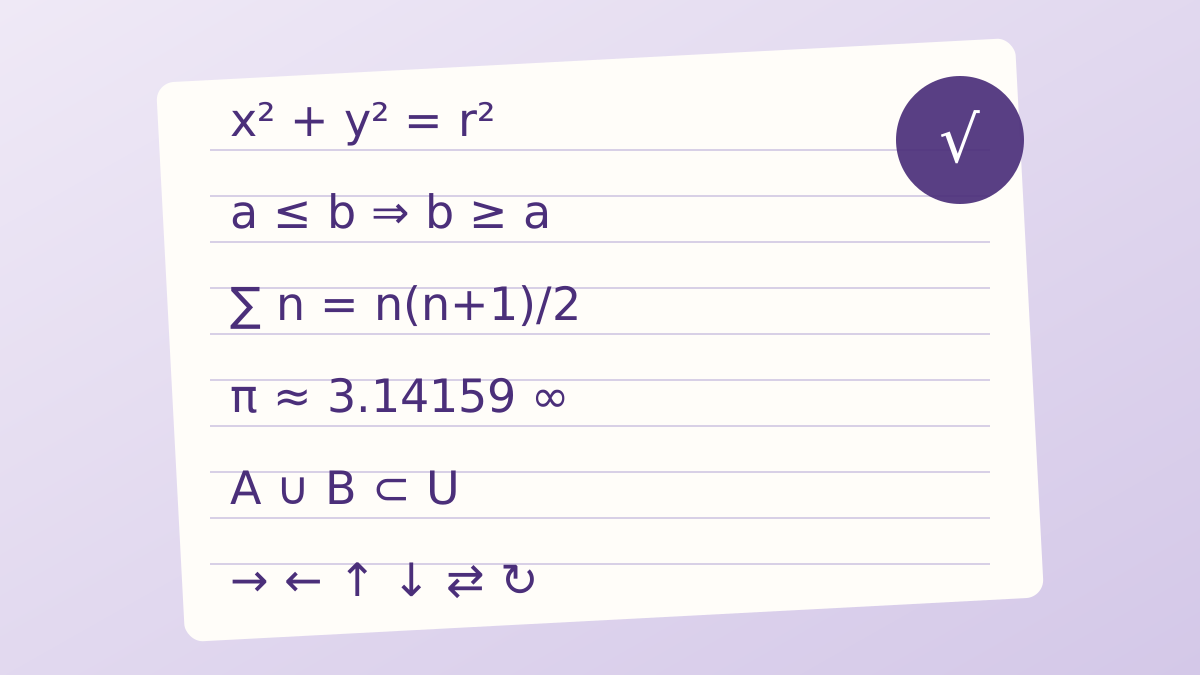
Arrows and mathematical signs are among the most requested symbols. They also have the most look-alikes, so choosing the correct one makes writing clearer and keeps documents accurate.
Glyphboard: Arrows for direction and flow
The basic set includes left, right, up and down arrows, plus double-line versions that often mean implication. Use a single right arrow for steps or navigation paths and a double arrow when you mean “therefore” or “implies”. Curved and looping arrows work well for undo, return or refresh ideas.
Glyphboard: Operators that are not what they seem
The keyboard minus is really a hyphen. A true minus sign is wider and aligns with the plus sign, which looks better in tables and formulas. The multiplication sign is not the letter x, and the division sign is not a slash. Swapping in the proper characters gives text a more careful finish.
Glyphboard: Comparison and set symbols
Less than or equal, greater than or equal, not equal and approximately equal each have a dedicated character. Set notation adds union, intersection, element-of and subset signs. These are widely supported in modern fonts, though very rare operators may appear as empty boxes on older systems.
Glyphboard: Fractions, roots and powers
Unicode includes common fractions, the square root sign, the infinity sign and superscript digits. Superscripts are handy for squares and cubes in plain text where formatting is not available. For longer expressions, a proper math editor remains the better choice.
Glyphboard: Finding them quickly
In Glyphboard, open the Arrows or Math category, or type a word such as “arrow” or “less” in the search field. The detail strip beneath the grid shows the full name and code point, which helps you confirm you picked the exact sign you meant.
Need a symbol right now?
Open the board, search by name and tap to copy.
More from the Glyphboard guide
Unicode and Glyphs Explained in Plain Language
How a number in the Unicode standard turns into a visible arrow, star or letter on your screen.
Read article
How to Type Symbols on iPhone and Android
Built-in tricks for special characters on phones, plus a faster route when the system keyboard runs out of options.
Read article
Special Characters on Windows and Mac Computers
The built-in character tools on Windows and macOS, and how they compare with a browser based board.
Read article